Keep your shop records together with the GriggsbyPrints Etsy seller spreadsheet for Google Sheets. The template brings profit, inventory, orders, expenses, sales dashboards, and business planning into one place, with a printable PDF planner for working on paper.
View the seller spreadsheet on Etsy → Check current pricing, included files, and requirements before buying. This is a digital download; no physical product is shipped.
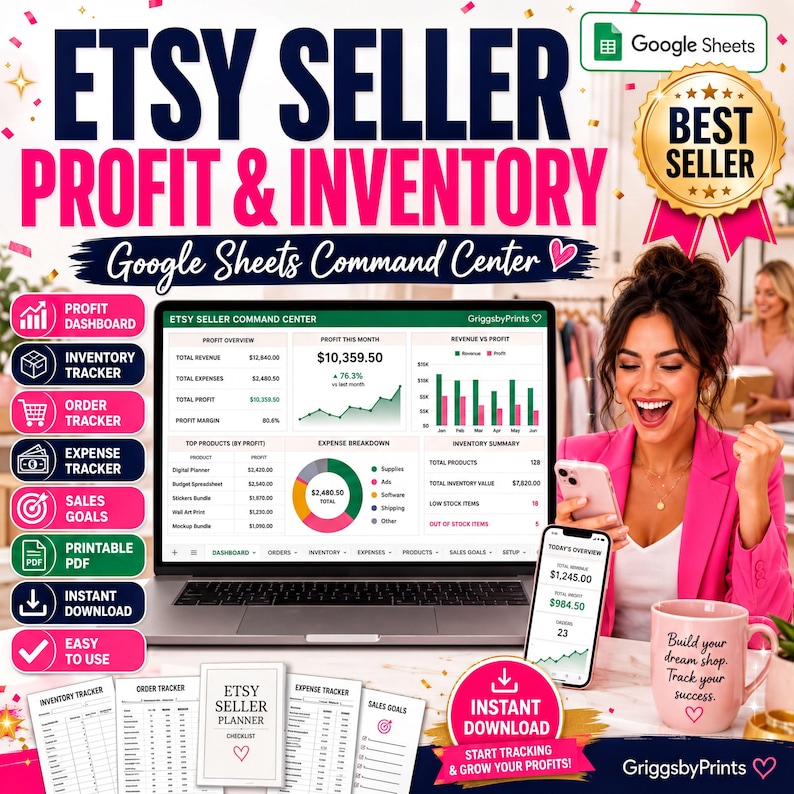
What is included?
The current listing includes a Google Sheets profit dashboard, inventory tracker, order tracker, expense tracker, revenue and profit calculator, sales dashboard, business planning pages, sales goals tracker, and printable PDF planner. These sections serve different jobs: stock records show what you have, order records show what sold, and expense records help you review the costs alongside revenue.
Who is it for?
The template is intended for Etsy sellers, handmade businesses, print-on-demand shops, digital product sellers, and other small online businesses. Choose it when you want to maintain business records in a spreadsheet. If you need to prepare for an in-person event, compare the craft fair and artist alley planner instead.
A careful first setup
After Etsy confirms payment, download the ZIP and extract its contents. Read the included instructions before opening the Google Sheets template. Follow those instructions to work in your own copy, and keep an unchanged copy available before customizing. Check which cells are intended for data entry and preserve calculation cells.
Start with a small set of records you can check against your existing order and expense documents. Review the results before entering a full month. This is suggested setup practice, not a claim that the template automatically imports Etsy data or connects to your shop.
A weekly recordkeeping routine
Set aside a regular time to enter orders, update stock, and record expenses. Compare the dashboard with your source records and investigate differences before relying on a total. Keep receipts and original records alongside your spreadsheet. The quality of your review depends on complete, accurate entries; a template does not guarantee profit.
Software, formats, and purchase details
This product is a Google Sheets template with a printable PDF planner. The listing describes Google Sheets use on desktop and mobile. Review the Etsy listing for the latest compatibility and personal-business-use terms. Checkout and purchased file delivery happen on Etsy, not on GriggsbyPrints.com.
It is an organizational tool, not accounting or tax advice. Check the calculations and requirements for your own business and consult an appropriate professional for tax or reporting questions.
See the Google Sheets seller tracker on Etsy →
Compare more small business printables and spreadsheets, or contact GriggsbyPrints with questions before choosing.